
Mind Links
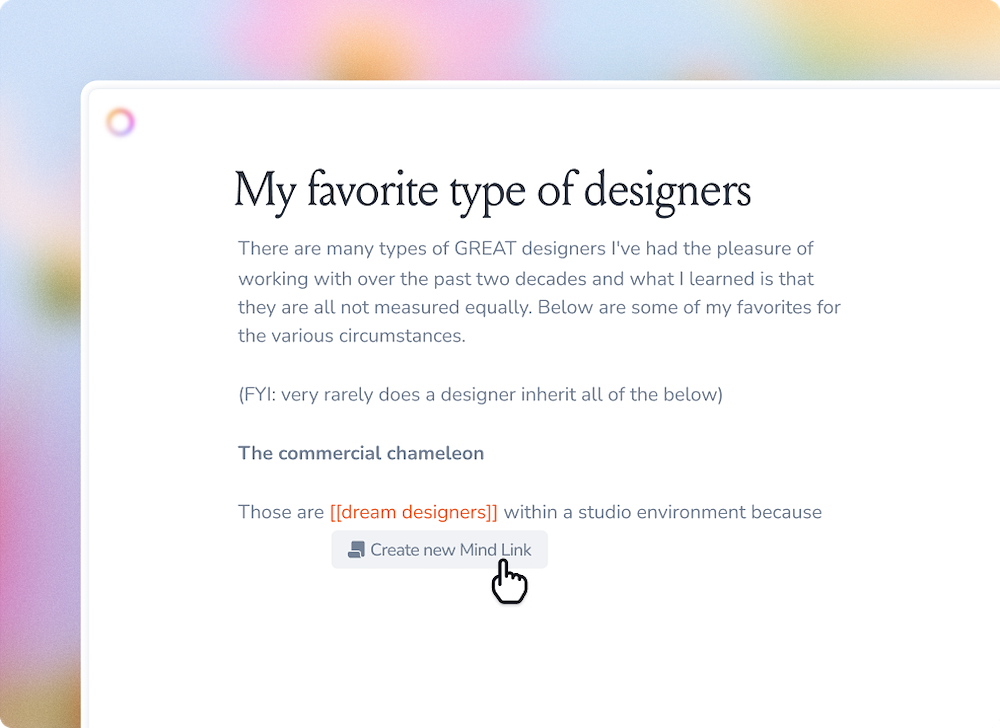
You can always link cards together in your mind by giving them the same tag. However, if you want to link notes together within your text, you can use our Mind Links (also known as bi-directional links).
Just type [[ in any note (including in Mind Notes!) to pull up your notes, then use your keyboard to narrow it down or navigate through them.
We hope this makes it easier for you to keep building your knowledge trees. 🧡
Limitations
- You can currently only link to other Note cards. We are planning to support Mind Links to other card types in the future.
- The Note card you want to link to must have a title, or else you won't be able to search for it.
- Mind Notes are currently only available on desktop and the MacOS app. Mobile support is planned but has no ETA.